Inclusion & Designing with Intentionality

This week I read about/explored the high-level ethics of AI use and what its impact means for students, teachers, and the education system as a whole. Specifically, Assistive Technology (AT) and Intentional Design in Education. It made me realize that if a classroom resource or tool isn’t accessible, it’s not just a poor choice, but it actually becomes a barrier to a student’s fundamental right to learn.
Image Credit: Assistive Technology in The Classroom Graphic via StudyCorgi
Equity in the Classroom
Equity is incredibly important in this discussion, especially in BC, where, “As of the 2022-23 school year, there were 86,596 students with diverse needs (special needs) in British Columbia’s public and independent school systems. This number represents a growing population, with over 68,000 children and youth navigating various disability categories and learning exceptionalities from kindergarten through to high school” (Education by the Numbers, From Kindergarten to Post-Secondary: Educational Journeys of British Columbia’s Students with Disabilities and Learning Exceptionalities).

Image Credit: Equality in Education via National University
That’s why accessible tools like SET-BC (Special Education Technology – BC) and ARC-BC (Accessible Resource Centre – BC) are super important. As we’ve learned from the UDL framework (Universal Design for Learning), meeting each student where they’re at benefits the whole class. This approach actually also reduces the “extra work” for teachers over time; when you provide multiple pathways for one student, you often end up finding success for many other students who may have been quietly struggling. In this way, these tools can transform accessibility from a specialised accommodation into a universal standard that elevates the entire learning community.

Image Credit: Universal Design for Learning via NSW Government Education
SAMR & Triple E
This week I also learned about using two frameworks: SAMR and Triple E.
Looking back at the H5P Interactive Video I created in Week 2, using the SAMR model, I would categorise it as Augmentation. It substituted a video, but the included quiz gave it a more “functional improvement” through immediate feedback. To reach redefinition, I could have students use H5P to create/design their own learning modules, which turns them from just consuming the content at hand to actually creating it. For Triple E, I would say that the video is strong on Engagement, because the video stops until students answer the relevant check-in question on the screen, but weaker when it comes to Extension, because it doesn’t necessarily connect super well between classroom theory and real-world application.
Cost & Privacy
While I do think that SAMR and Triple E are great, as a future BC educator, I also want to consider and look at privacy (FIPPA) to make sure that whatever tool I choose doesn’t store student data and that it doesn’t necessarily require an account. I also have to ask myself, if it comes up, if a subscription or membership cost is worth the small amount of time in student/class engagement, or if a ‘low-tech’ option, like a whiteboard brainstorm, would be more beneficial for some lessons.
Video Credit: Lerna Courses via YouTube
It was also interesting to learn about the POUR principles this week (Perceivable, Operable, Understandable, Robust).

Image Credit: Understanding the POUR Principles of Accessibility via Vially
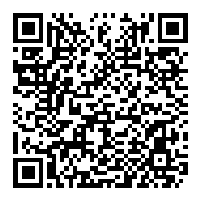
To build off this reminder of the importance of true accessibility, I put my blog through the WAVE Evaluation Tool and have attached the QR code to a screencast video of me scrolling through its suggestions and recommendations, showing what it suggested I do. Many of its suggestions focus on including alternative text that is more accessible, as well as contrast and heading levels.
I realised that I often choose aesthetic “pastel” colours and highlights for my slides, but checking them against a contrast checker showed me that many of my design choices have the potential to effectively be invisible or visually confusing to students with visual impairments.

Image Credit: Colour Contrast via Digital Accessibility Office
Video Credit: Edmonton Regional Learning Consortium – ERLC via YouTube
As educators, it can be easy to dismiss accessibility as extra work, but the reality is that these accessibility practices & online tools encourage student independence, which can in turn reduce the need for continual one-on-one support. The video included for this week also highlights this by discussing tools like speech-to-text and text-to-speech as more than just being “extra tasks” for teachers, but more so about them being essential for “levelling the playing field” and giving every student the agency to succeed on their own.
Video Credit: Using Text-to-Speech Assistive Technologies to Support Students via YouTube
Moving Forward
To put what I’ve learned into my own practice, going forward I plan to work on making my own digital spaces and online lesson plans more inclusive by using simplified headings and a clear, easier-to-navigate layout. Moving into my practicum, my goal is to shift my perspective on classroom technology by asking myself before including a digital tool in a lesson if every student in my classroom can use it to succeed, and if not, then I’ll do my best to adjust and change it as needed.