Video Credit: KI-Campus on YouTube
This week we looked at the “double-edged sword” of generative AI. When I did my own research, I found that the attached video above really stuck with me in relation to the topics that the videos this week talked about/summarised. The tension educators are feeling right now and what we talked about in class: wanting and liking how efficient generative AI is but being scared of losing the “human” part of learning and teaching that makes it so great.
Video Credit: TED X Talks on YouTube
One of the most interesting parts of the hands-on part of the class for me was testing image generation prompts. I wanted to see how well a GenAI tool, specifically Google Gemini, could capture a specific setting, so I asked it to create a “secondary school cartoon-style empty, creative and realistic BC classroom on Vancouver Island.” The result, which you can see below, was surprisingly accurate. I think it nailed the prompt’s specific requests, like the art style and the Vancouver Island and BC-specific elements on the walls. I would say that this exercise showed me that with a clear and detailed prompt, these AI tools can be powerful and fun creative partners.
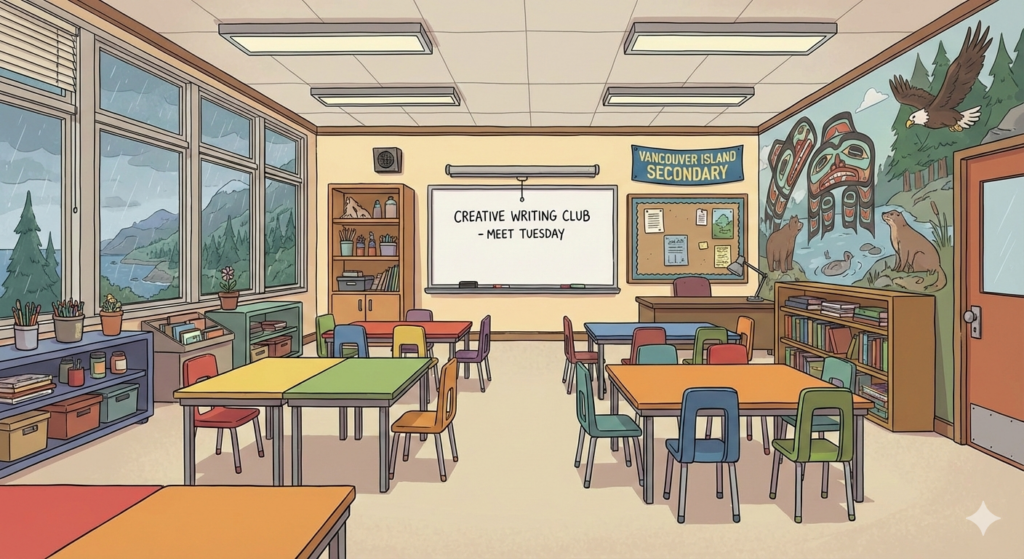
Image Credit: Created on Google Gemini, Nano Banana
When I think about where I want to teach, it’s probably more middle school or elementary; therefore, I see GenAI as being an incredibly useful tool for creating student differentiation through lesson plans and classroom layouts, as well as specifically designed activities. For example, with the ‘Macbeth’ scenario, I realised that as a teacher I could use AI to take a more difficult or complex text for some students and quickly summarise it into different reading levels or turn it into a graphic novel script, podcast episode, or interactive video.
If I were Pat’s teacher, I wouldn’t have AI write the essay for him. Instead, I would use it to create a scaffolded choice sheet or board, where he could use a GenAI tool to brainstorm three different ways to show his understanding of the topics/themes (maybe a podcast script or a storyboard) instead of having to write a standard essay, which may feel too overwhelming. It also saves me, as the teacher, three hours of prep time while still keeping the “mind” work on Pat.
Video Credit: TED Talks on Youtube
In class, we also discussed the ethics of AI use and the environmental costs of running and maintaining these large servers, property rights, and also how much power we use in our day-to-day lives without even realising. It’s easy to forget that every “creative” image generated by AI is often based on the uncredited work of human artists. Moving forward, I want to model “attribution” for my students. When we use a tool, we cite it. We treat it like a collaborator, rather than an AI ghostwriter.
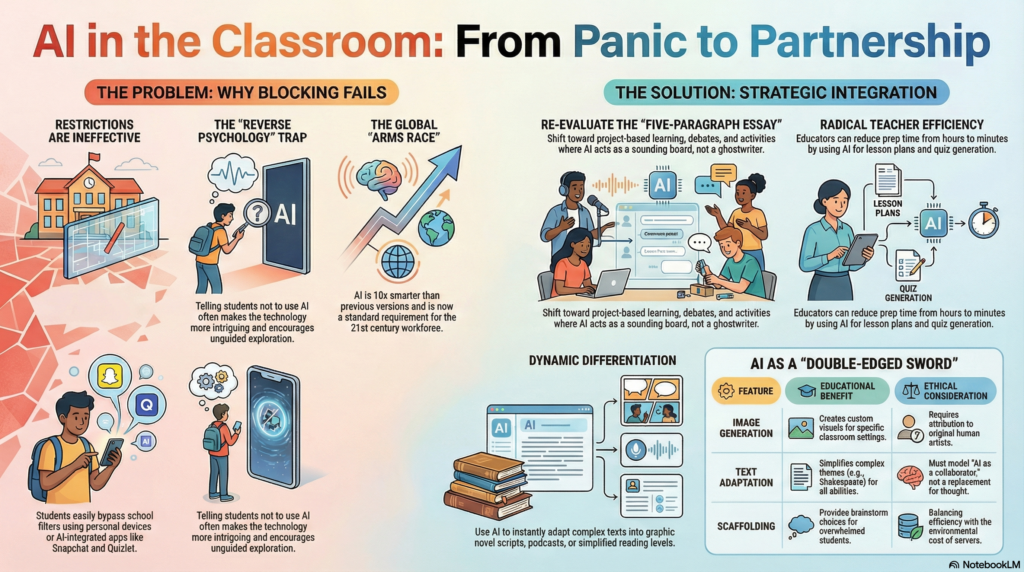
Image Credit: Infographic Created on NotebookLM
I asked NotebookLM to create an infographic based on my above reflection post #3, and I really did like how it was able to create a somewhat professional visual in under two minutes. I think that this could be a benefit because it lets me spend more time actually talking to my students (or in this case my learning pod) and less time working with Canva templates or continuously editing online infographic designs.

Image Credit: AI in Education Survey, SLIDESGO
Overall, I would say that the most important takeaway for me this week is the understanding that AI is a great tool, but it’s not a replacement for our knowledge, skill set, and human awareness as educators. Throughout my AI exploration this week, I realised that generative AI is only as strong as the prompt you give it. If I don’t know the curriculum and I ask AI to create a lesson plan, I would have no idea when or what it is making up. It reminds me that when we choose to use AI as a tool as teachers, we have to keep being aware and use it to handle the more time-consuming parts of the job while not losing the human quality that makes education so valuable.

Image Credit: AI Teacher Benefits, Structural Learning